
Native disk analysis · Thoughtful cleanup
Your disk space,at a glance.
See folder and hidden-directory usage and compare scans over time. Review cleanup suggestions before confirming; source files and release installers stay protected.
Apple silicon · macOS 14 or later
Likes, ratings & anonymous comments ↓Version 1.0.2 unifies full-row hover highlights and hit targets across all list views, hardens regular-file project marker validation, adds cross-page Overview navigation and synchronizes selected cache filters, alongside the interactive space map, APFS purgeable space insights, local cleanup audit ledger and CLI 1.0. Folder usage is not a promise of reclaimable space; moving files to Trash does not immediately free space.
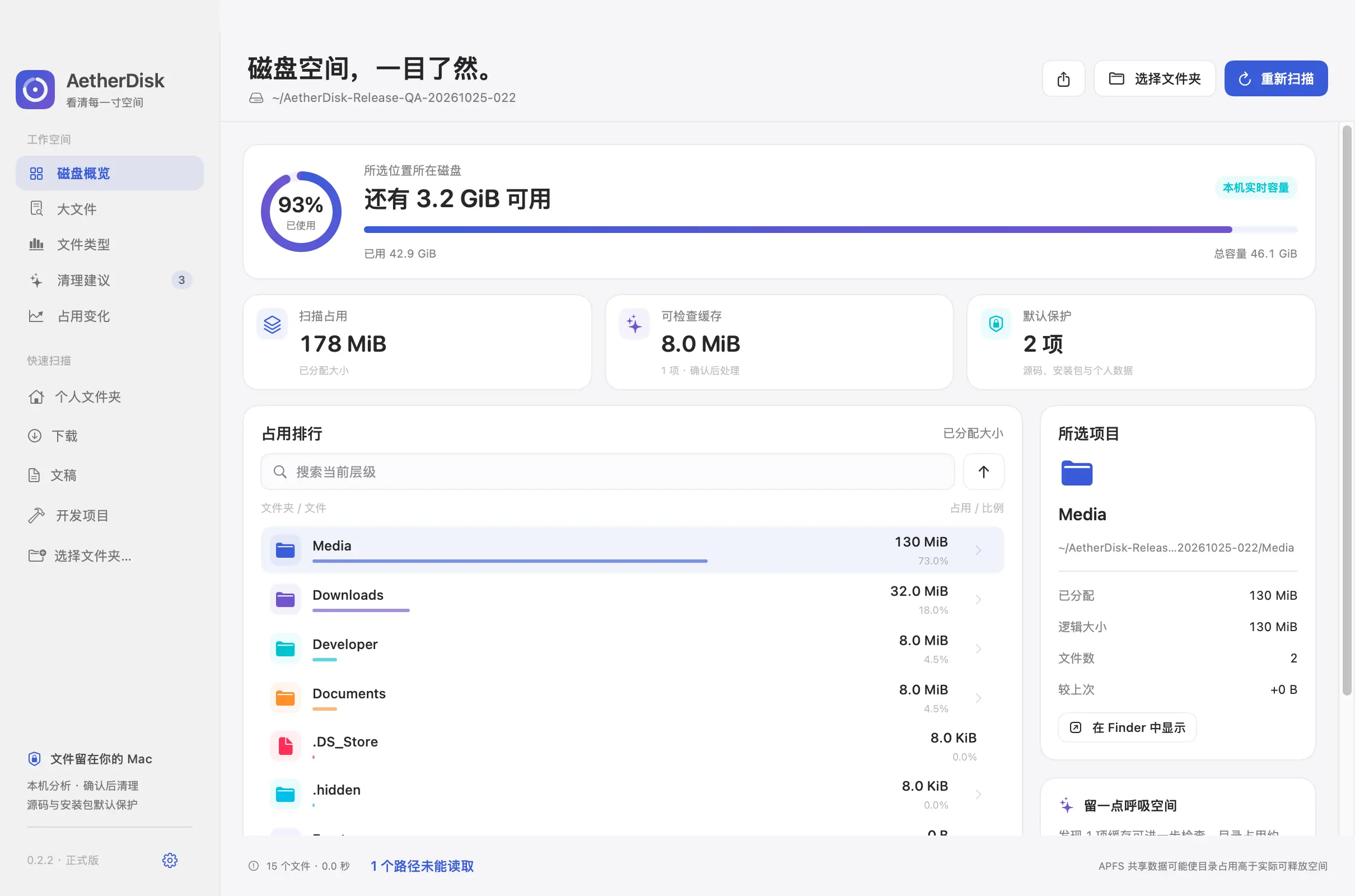





Clarity at every step.
Local scans. Conservative suggestions. Explicit confirmation.
Rankings including hidden folders
Scans file metadata with separate allocated and logical sizes. Does not follow symlinks or cross volumes. Cancel any time; permission gaps and partial results are visible.
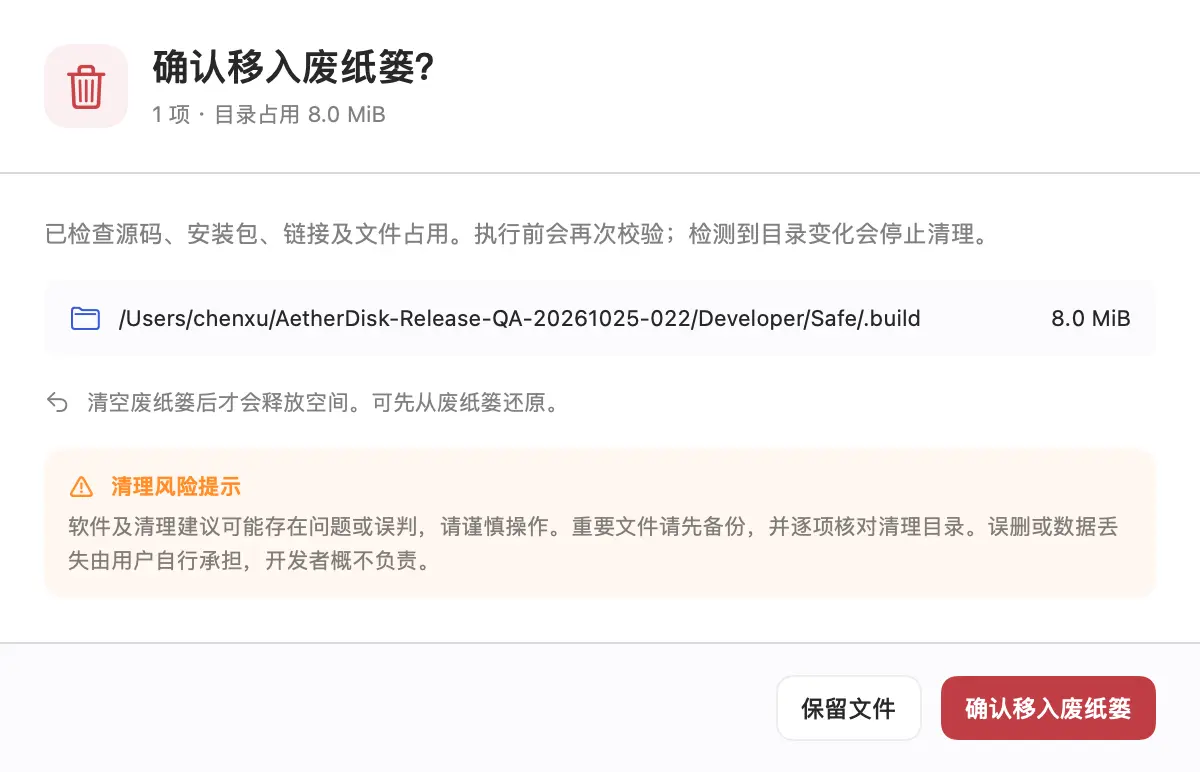
Source and installers stay protected
Identifies build caches using project markers. Candidates containing source files, Git-tracked files, installers, signing materials or links are blocked. Checks open files and revalidates before cleanup.
See what changed
Compares scans of the same folder including added and removed items. History stays on your Mac; reveal items in Finder.
Large files and file types in one place
Find large files across folders and filter by type, size or path. Separate physical and logical sizes; file-type totals include scanned deep files beyond the directory display limit.
Add your own protected folders
Protected folders remain in scans but cannot be cleaned, including their contents and cache ancestors. Settings remain local.
Export reports and inspect unreadable paths
Export CSV metadata through the native save panel, including sizes, file-type totals and permission gaps. File contents are never read or exported; reports are not uploaded automatically.
What are the cleanup risks and responsibilities?
The software and cleanup suggestions may contain errors or misclassifications. Use caution, back up important files and review every folder before cleaning. Users assume responsibility for accidental deletion or data loss; the developer accepts no liability.
Does it delete files automatically?
No. Suggestions are unselected by default and require review and confirmation. Cleanup moves items to system Trash without permanently deleting them or emptying Trash.
Why are some folders unreadable?
macOS privacy permissions may restrict access. The app reports gaps and links to Full Disk Access settings rather than treating unreadable content as zero usage.
Are in-app updates supported?
Yes. Updates use the signed website feed and require your decision to download and install. Update signatures are verified before extraction; system profiles are not sent.

AetherDisk for Mac
Give your disk some breathing room.
The software and cleanup suggestions may contain errors or misclassifications. Use caution, back up important files and review every folder before cleaning. Users assume responsibility for accidental deletion or data loss; the developer accepts no liability.
Community
How has your experience been?
No sign-in needed. Share your experience.
Community rating
—/ 5
Loading…
One like and rating per browser. You can change them anytime.
No published comments yet. Be the first to share your experience.
Community comments
Newest first · Replies grouped by topic