Native pinyin · Local dictionaries
Stay in the flow.Let words come naturally.
Fix pinyin in place and pin the words you use most.
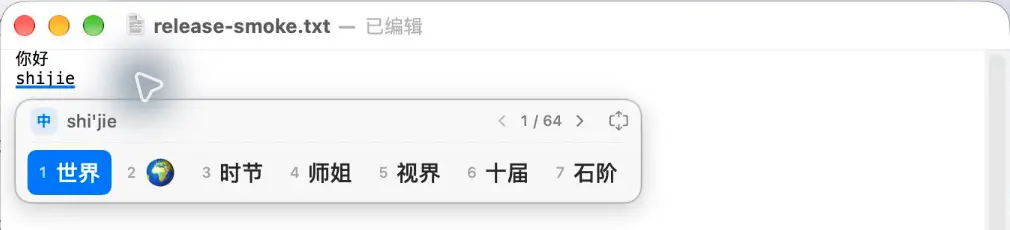
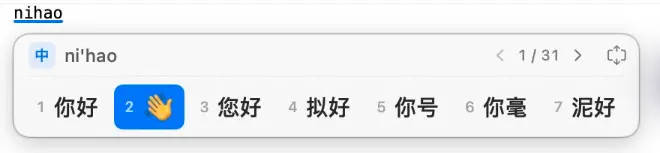
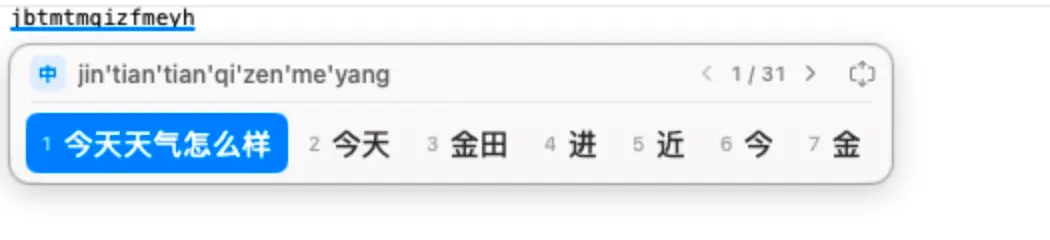
Compact candidates follow your caret and fit their words.
macOS 14 or later · Apple silicon M-series
Likes, ratings & anonymous comments ↓Version 1.0.9 adds real-time typo correction and whole-sentence anti-mashing guards, immediate Backspace rollback for learned word frequencies and paired quotes, a Pinned & Ignored words manager, plus [ / ] paging and Double Pinyin abbreviation fallbacks.
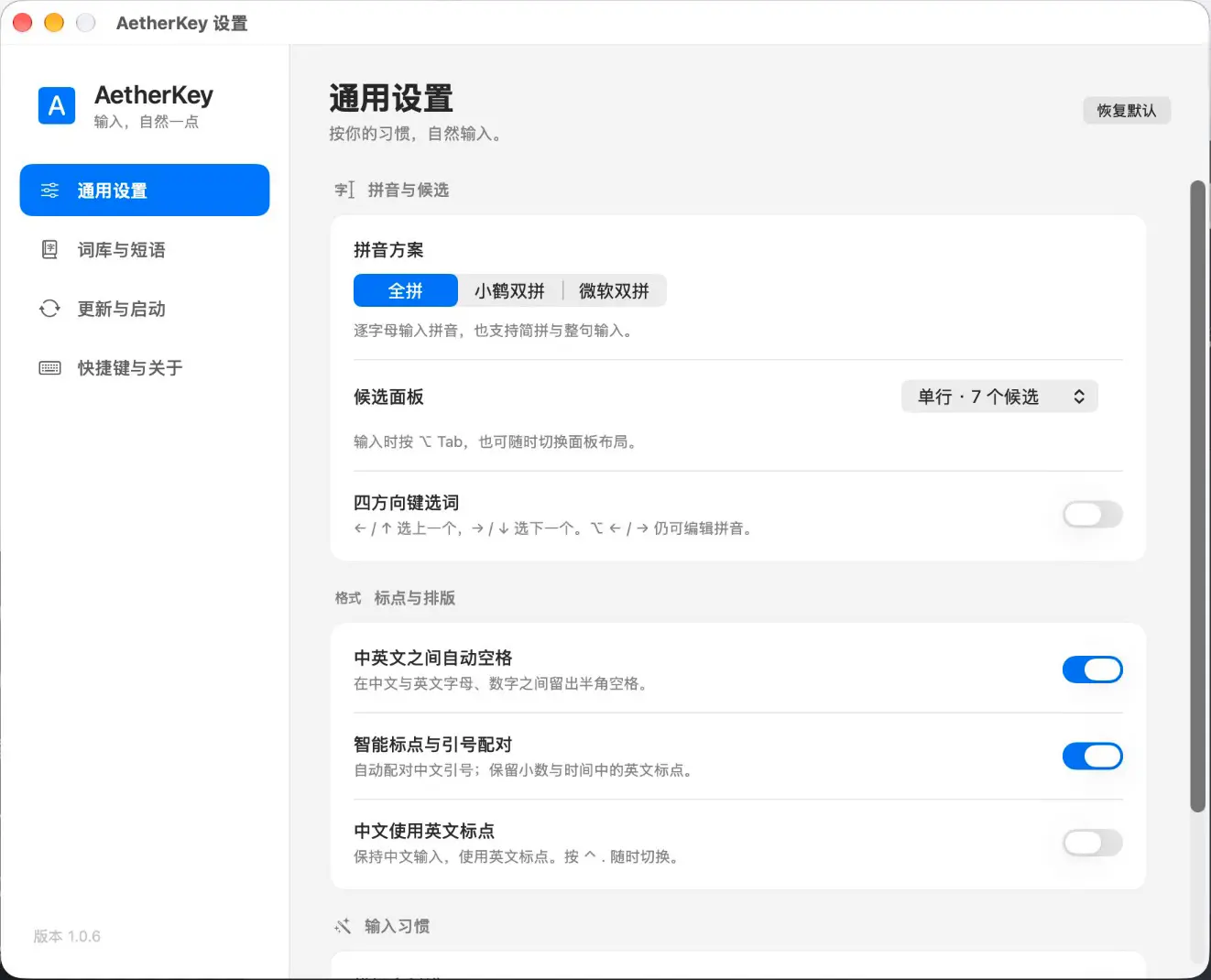
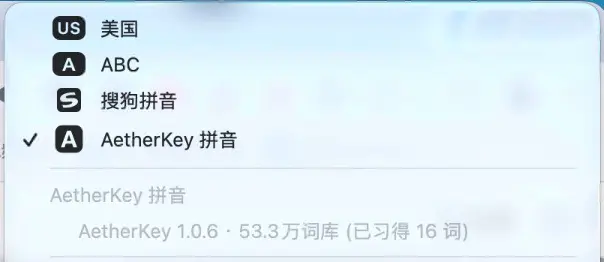
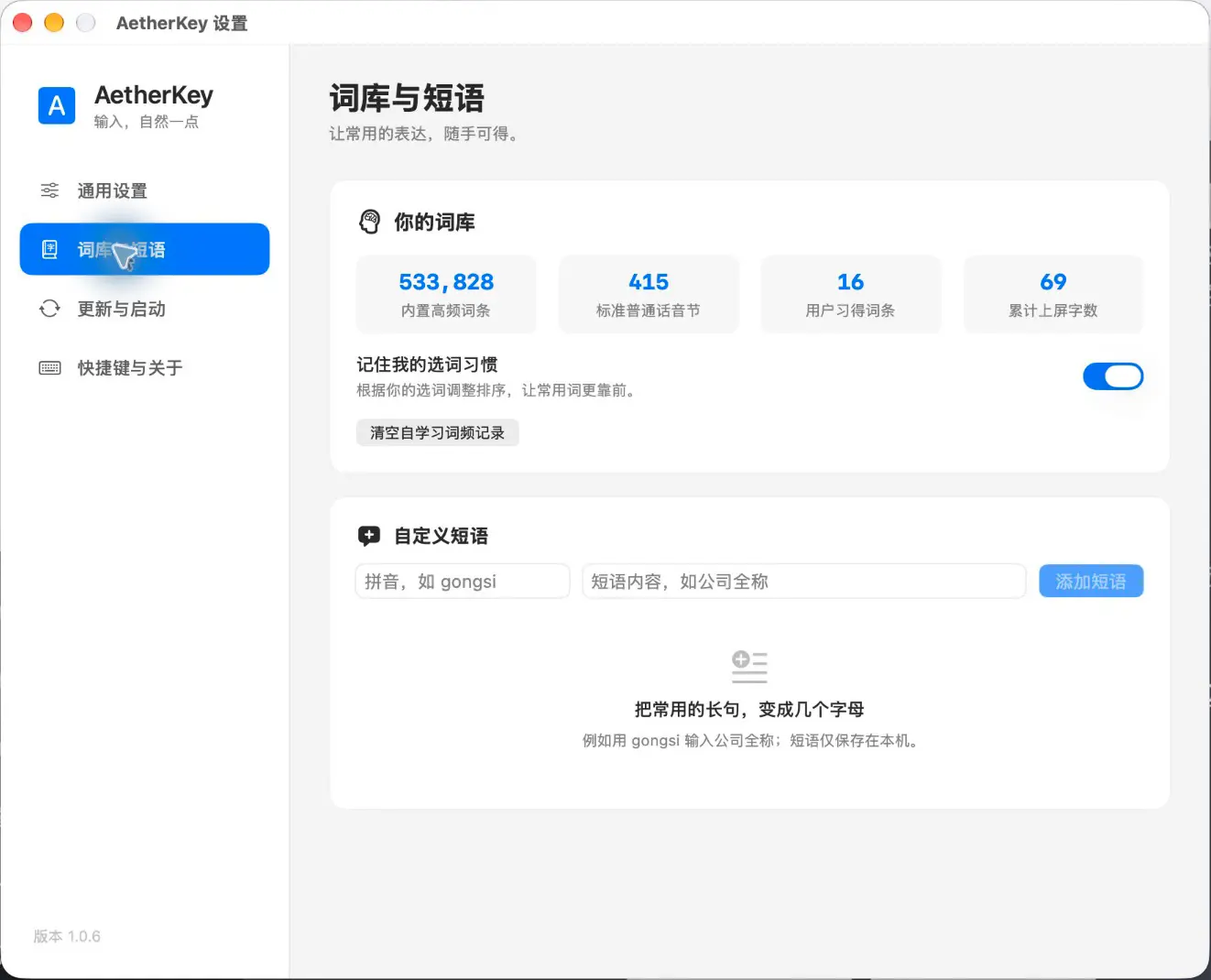
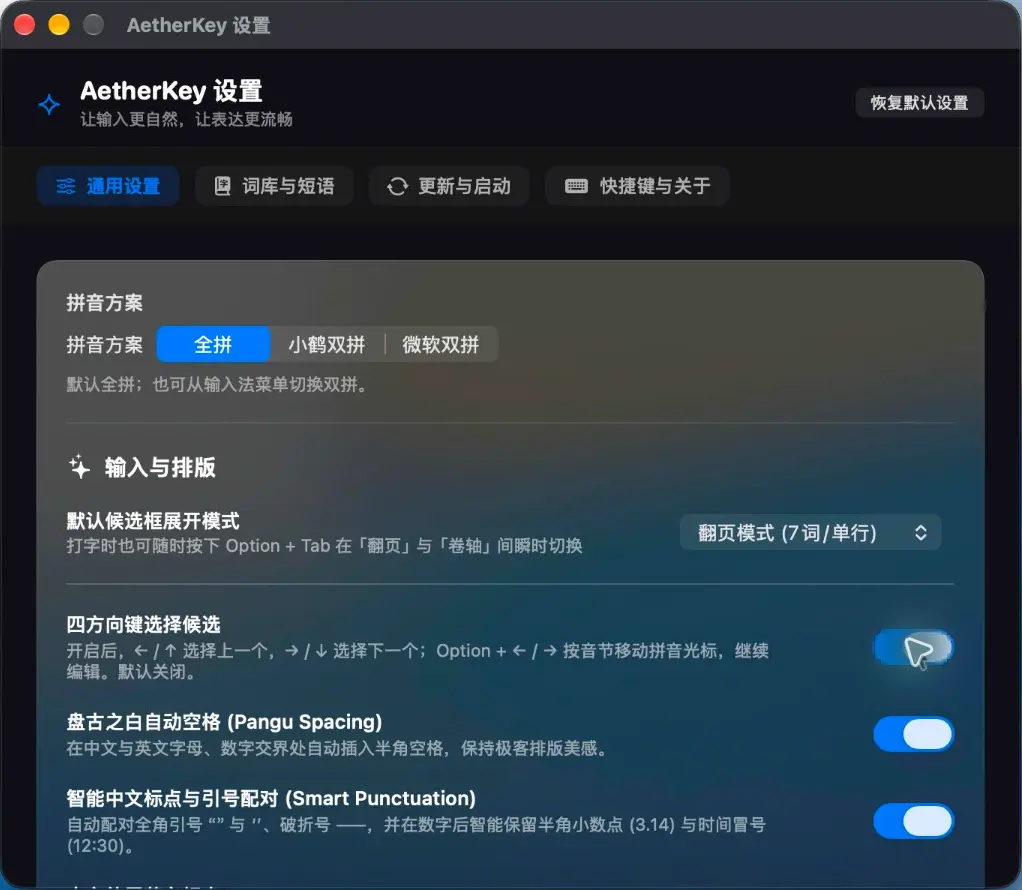
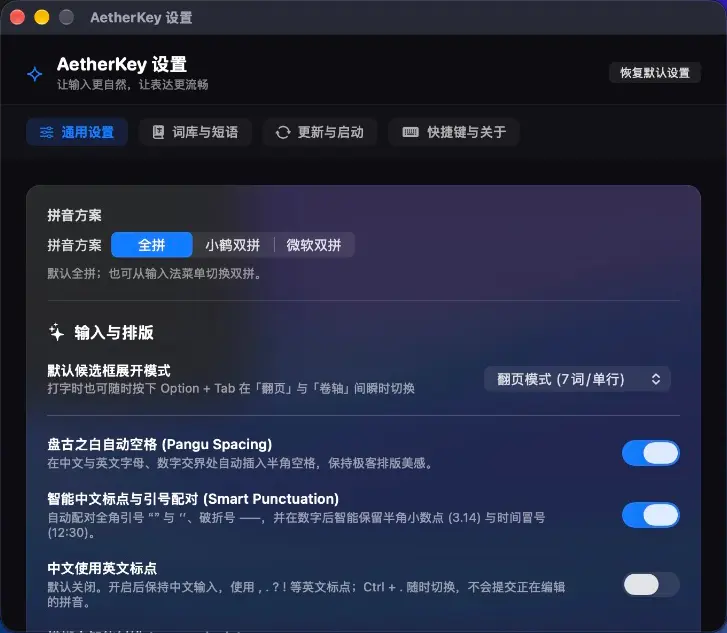

Fewer settings to manage. Everyday actions within reach.
If you want focused typing on one Mac, these are the choices AetherKey makes for you.
Typing and learning stay on your Mac
Pinyin conversion uses bundled dictionaries. Learned words and custom phrases are stored locally. No login, cloud conversion, advertising or analytics module.
Close to your caret, with room to write
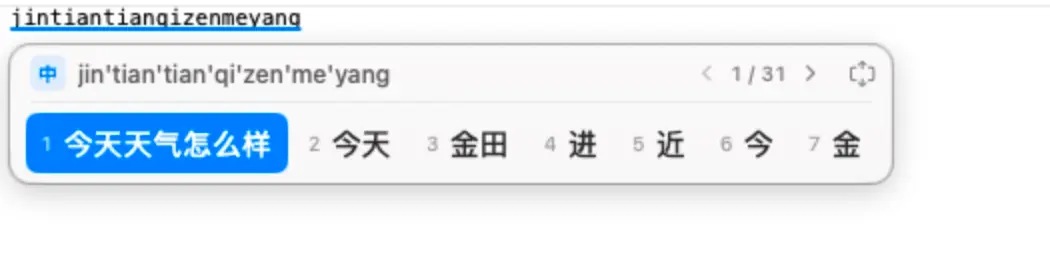
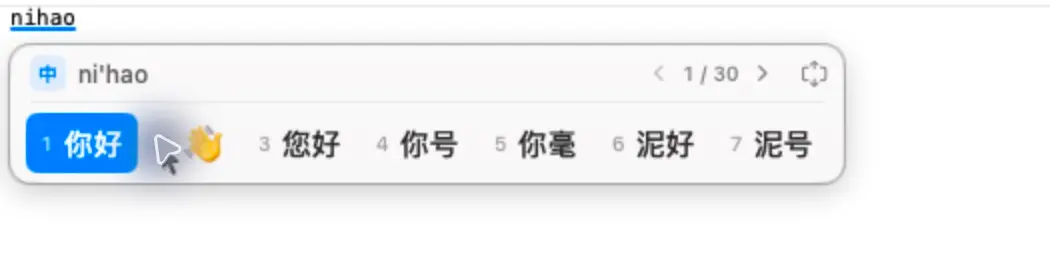
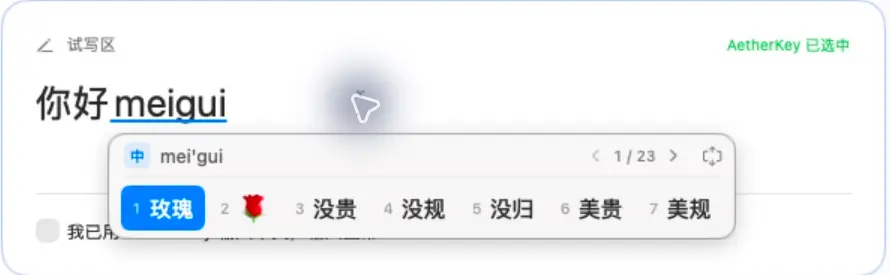
Content-adaptive width, paging and expanded candidates, with system light and dark appearance. Gentle fades and continuous caret following keep the panel near your text. Optionally enable all four arrows: Left/Up select the previous candidate, Right/Down select the next, and Space confirms. Off by default.
Wubi 86, ready to choose
Select Wubi 86 for short codes, phrases and fifth-key commit. Use z + pinyin to look up text and its Wubi code. Learning, phrases, pins and forgotten words are stored separately from pinyin.
Pick your familiar two-key layout
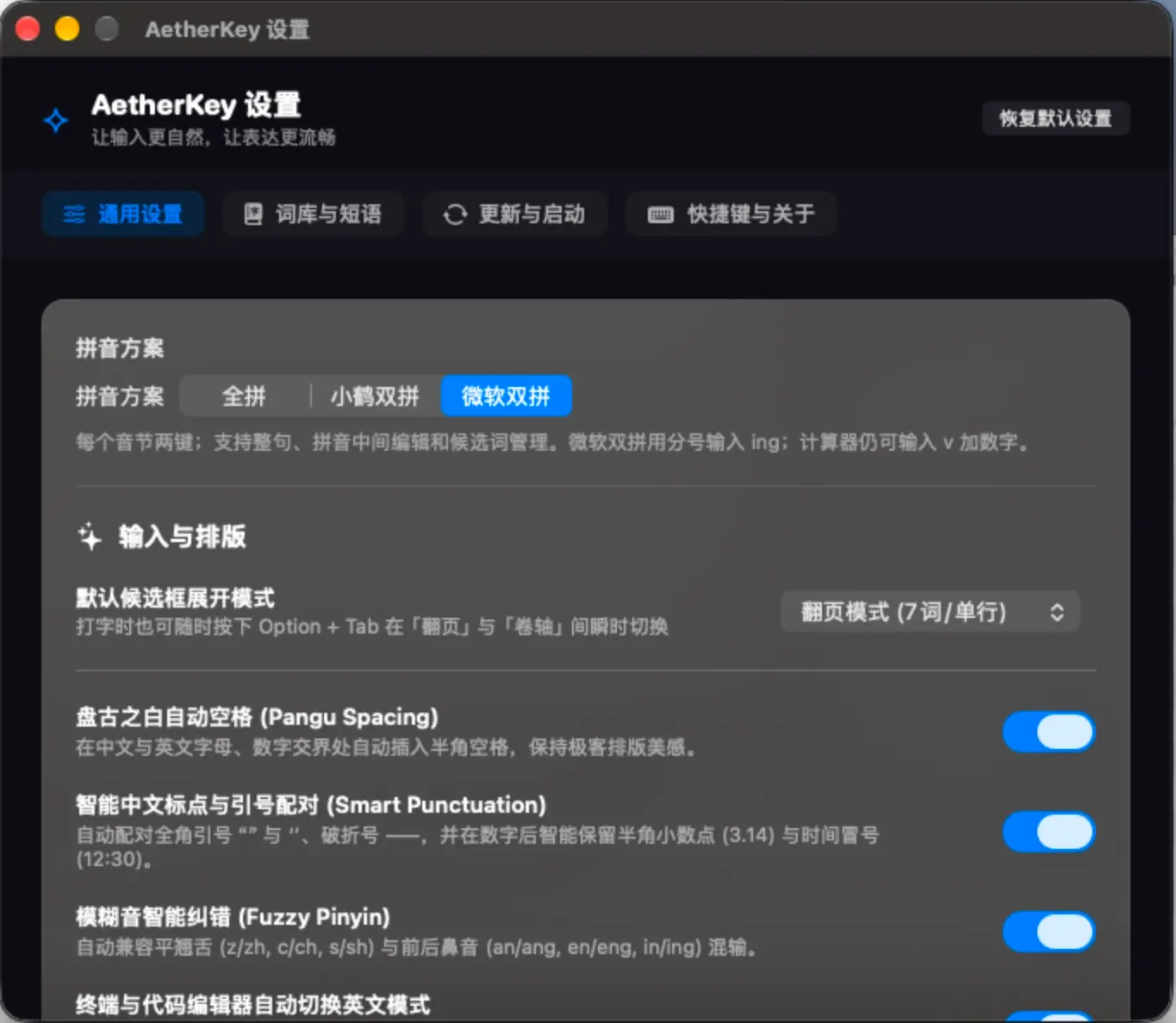
Choose full pinyin, Flypy or Microsoft shuangpin in Settings or the input-method menu, with no configuration files to edit. Sentence candidates, inline editing, pins and forgotten words share one local dictionary across layouts.
Fix pinyin without starting over
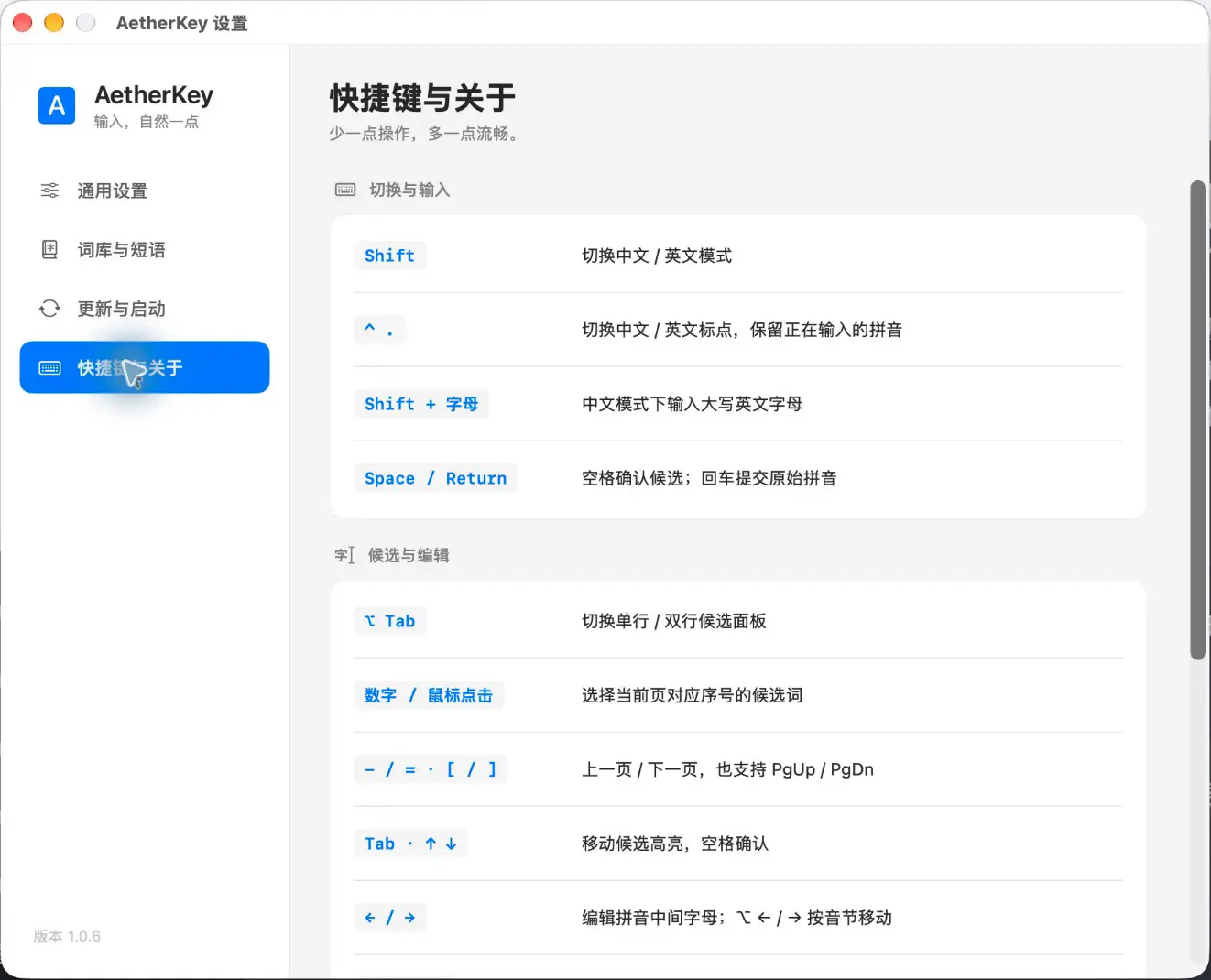
Move inside pinyin to insert or delete letters. With four-arrow selection enabled, Option + Left/Right still moves the composition caret by syllable. Continue editing after partial commits; shortcut help follows your setting.
Candidates informed by the preceding text
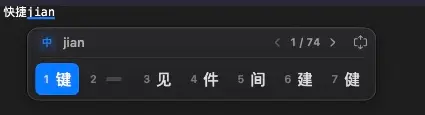
Exact syllables precede ambiguous and fuzzy alternatives. Up to four adjacent Chinese characters before the caret guide local dictionary continuations, such as 快捷 jian → 键 and 时 jian → 间. Pins, custom phrases and forgotten words remain respected. Without usable context, normal ordering applies.
Pin useful words and forget unwanted ones
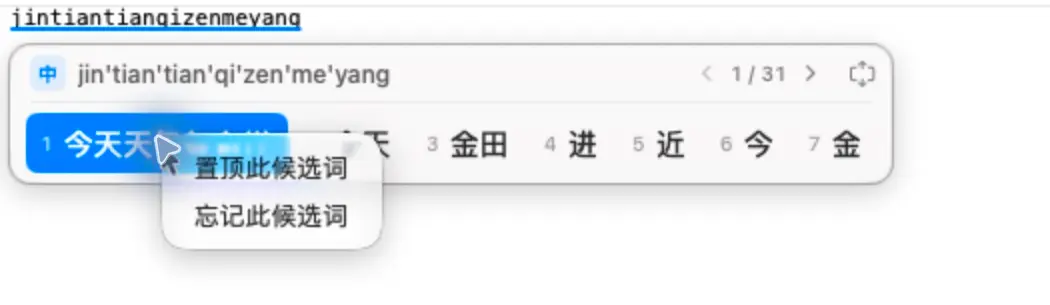
Right-click a candidate to pin, unpin or forget it, or use keyboard shortcuts. Preferences are stored per reading and survive restarts and updates. Forgotten words can be restored by adding a custom phrase.
Uncommon names deserve to be typed
Unicode Unihan 17.0.0 supplies 44,359 characters with Mandarin readings and 52,987 reading pairs, covering all 8,105 standard Chinese characters. Page through uncommon characters or save a name as a custom phrase.
Emoji, punctuation and numbers
Type meigui to find rose emoji. Smart Chinese punctuation, optional Chinese–English spacing, V-mode calculations and uppercase RMB amounts keep common tasks on the keyboard. English punctuation in Chinese mode is optional and off by default; toggle with Ctrl + . while composing.
Get the next version in the app
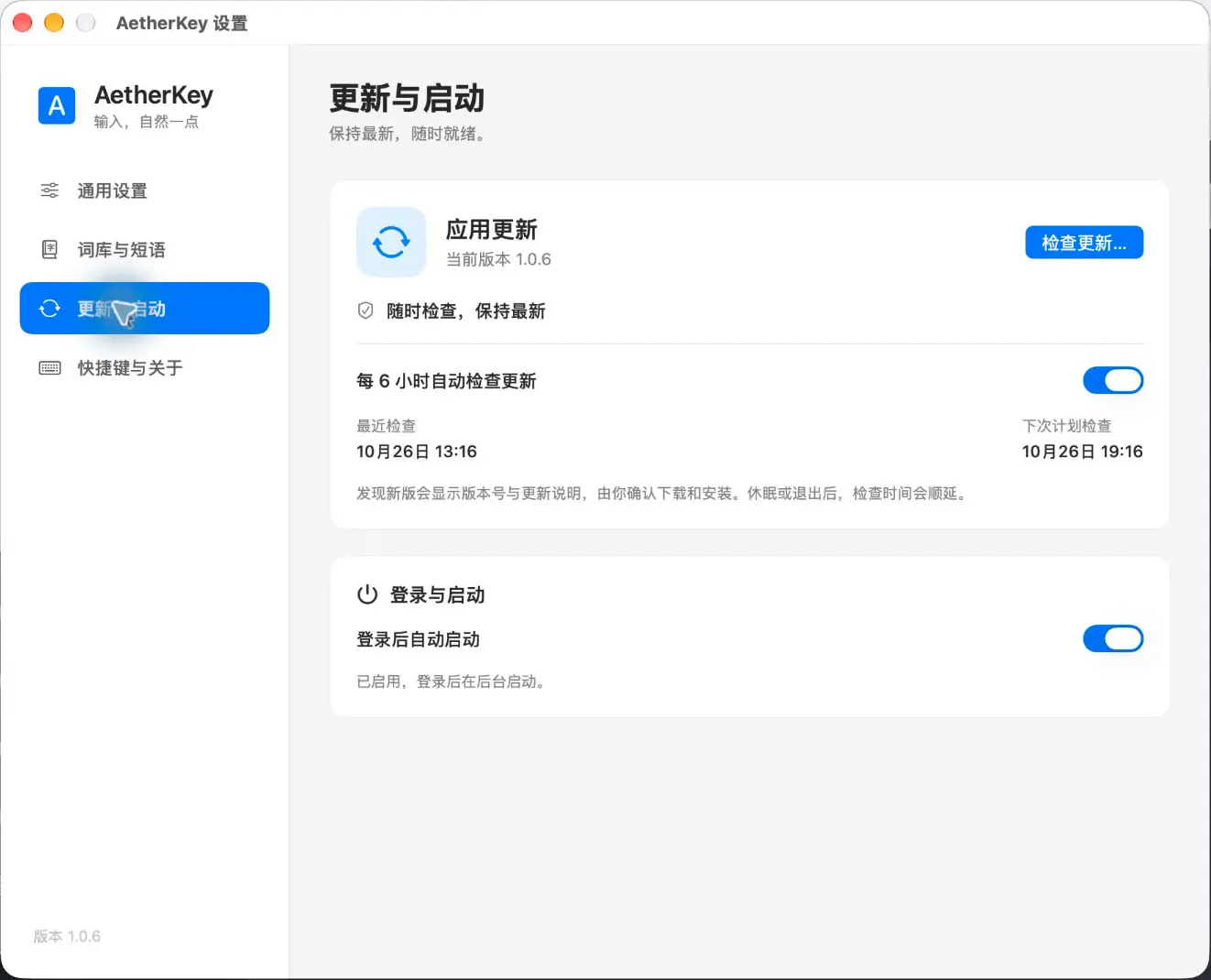
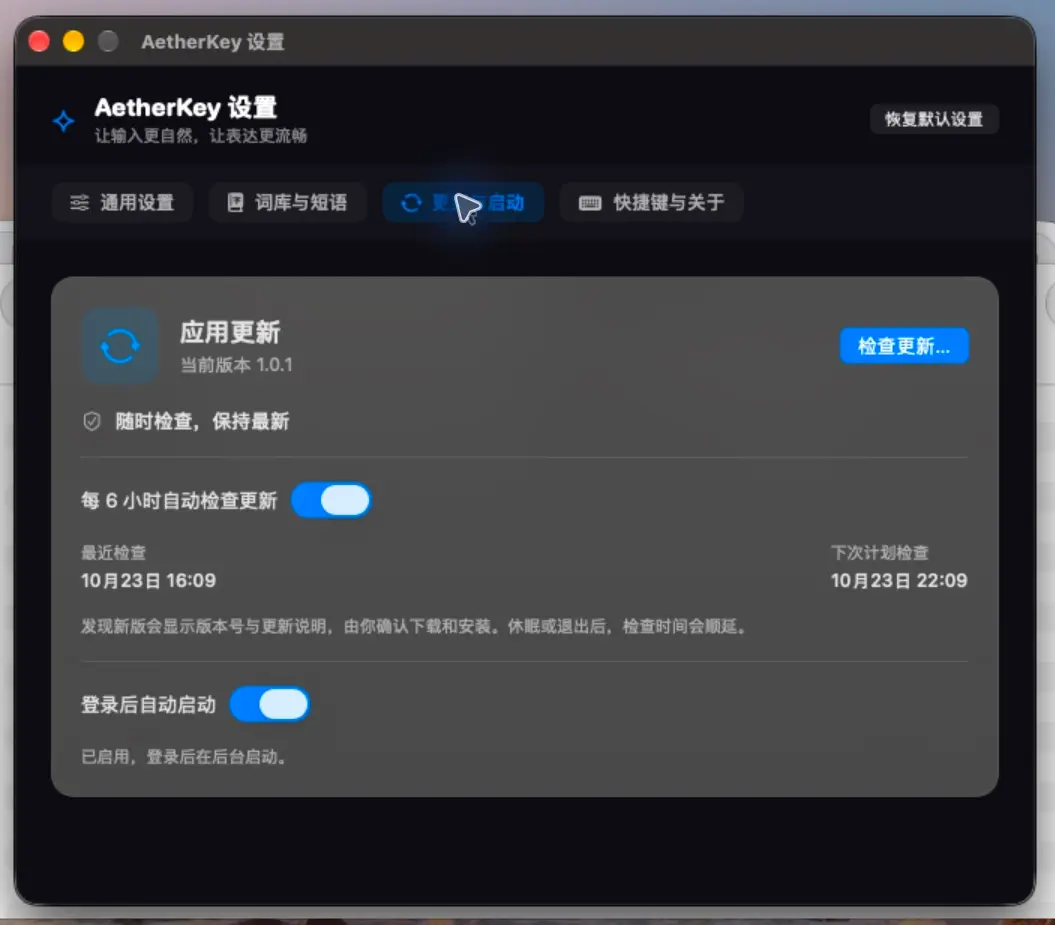
Check automatically every six hours and see the new version and release notes. Settings show the last and next scheduled check, automatic-check controls and login startup. Updates are signature-verified, retaining dictionaries and preferences.
Clear controls on every page
Sidebar navigation leads to General, Dictionary, Updates and Shortcuts. Grouped settings follow system light/dark appearance, with direct controls for phrases, six-hour update checks and login startup. A solid rounded A badge unifies the menu-bar identity.
Which input method fits the way you work?
Compared with Sogou’s cloud ecosystem, AetherKey focuses on account-free local conversion and a compact interface. Compared with Rime’s deep customization, common word-management actions are available directly in the UI. macOS Pinyin is built in. Choose AetherKey for full pinyin, two shuangpin layouts and direct everyday controls.
Four Mac input methods, compared by need
| Your needs | AetherKey 1.0.8 | Sogou for Mac | macOS Pinyin | Squirrel / Rime |
|---|---|---|---|---|
| Focus | Focused local pinyin typingNo account; on-device conversion and learning | Broad input and cloud featuresOfficially offers cloud input, voice, account sync and skins | Built into macOSAdd Chinese input sources in Keyboard settings | Deep customizationConfigurable schemas, dictionaries and keys |
| Everyday controls | Manage words with a right-clickPin, unpin, forget; graphical phrase management | Dictionaries, phrases and appearanceManagement options depend on the installed version | System settings and word learningCandidate direction, font size and fuzzy-pinyin settings | Configuration files and deploymentOfficial customization workflow offers extensive control |
| Typing experience | Compact candidates and inline editingFull pinyin, Flypy and Microsoft; inline editing and adaptive candidates | Pinyin, shuangpin and extra toolsVoice and handwriting availability follows the Mac release | Multiple Chinese input methodsPinyin, shuangpin, strokes, Wubi and handwriting | Schema-driven inputSuited to custom encodings and layouts |
| Personal dictionaries | Stored on your MacLearning, phrases, pins and forgotten words survive updates; no cloud sync | Account-based dictionary syncUseful for cross-device dictionary needs | System word-frequency learningAdjusts candidate ordering from selections | Snapshots and sync foldersCan work with external sync tools; requires configuration |
| Best fit | Native simplicity and visual controlsFor local typing with common actions readily accessible | A broader tool and cloud ecosystemFor voice, customization and cross-device features | No additional softwareFor a built-in typing experience | Build your own input setupFor schema ecosystems and detailed customization |
Checked 2026-10-24 using official Sogou Mac pages, Apple’s Chinese input manual and Rime guides; source links are in Help. This compares product choices, not exclusive features or controlled speed, memory or accuracy results. AetherKey 1.0.8 supports full pinyin, Flypy and Microsoft shuangpin, and Wubi 86 with local lexicon import/export; voice, handwriting and cloud sync are not included. Version checks use the network; conversion stays local. Engine figures on this page are for 1.0.2.
Unihan 17; characters with Mandarin readings
2026-11-04 · Lexicon backup/migration, place names, Wubi table and pinyin regression
1.0.2 · M1 Max · 200 queries; excludes rendering
Why try AetherKey if I already use macOS Pinyin?
Try AetherKey if you prefer its compact, content-adaptive candidates, inline pinyin editing and direct word-management controls. macOS Pinyin also learns word frequencies and offers several input methods; it remains a good fit when you want no additional installation.
Which shuangpin layouts are available?
Version 1.0.3 supports Flypy and Microsoft shuangpin. Select a layout in General Settings or the input-method menu. Full pinyin remains the default. Microsoft uses semicolon for ing; all three layouts share dictionaries, learning and candidate preferences.
How do I install and enable it?
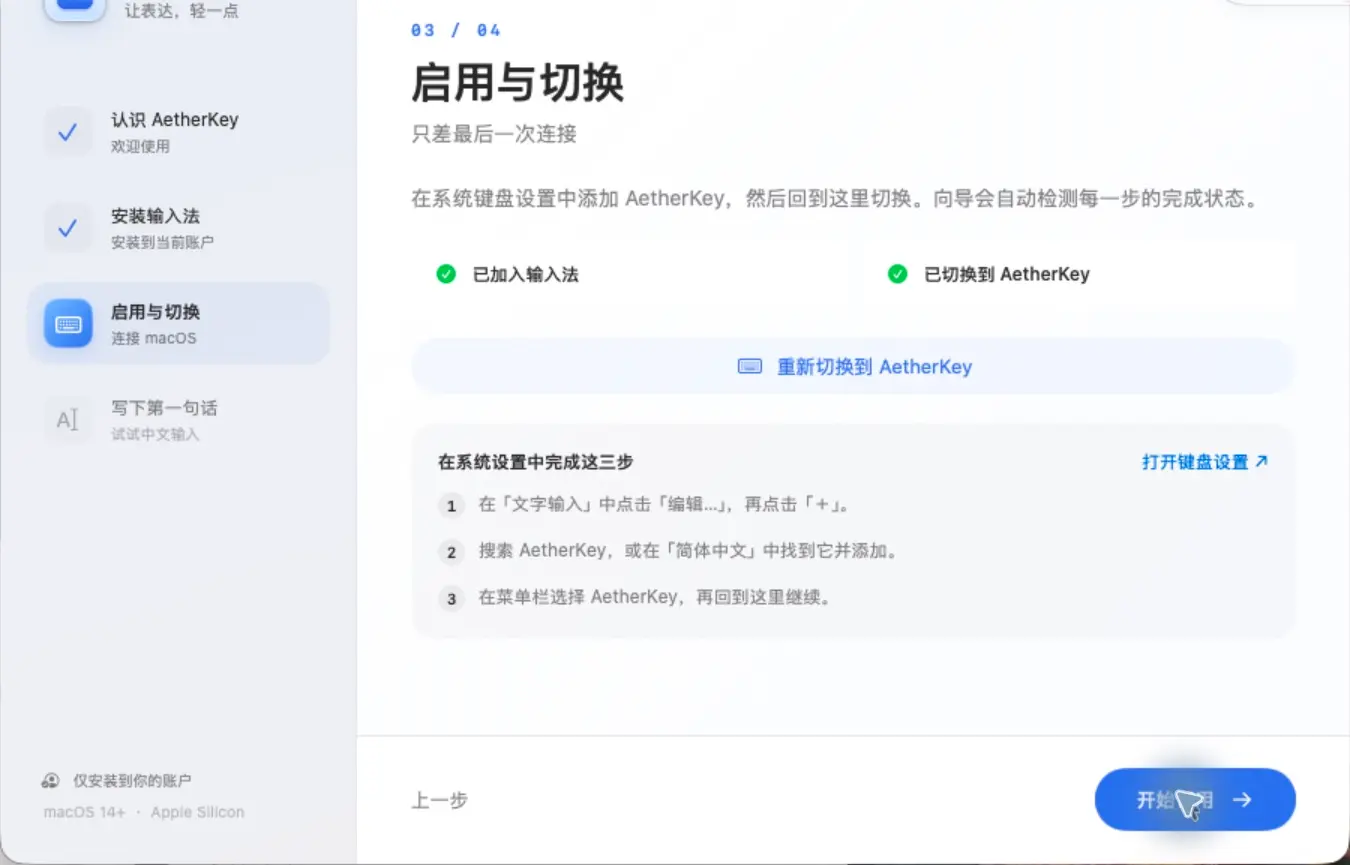
Open the DMG and run the setup app. Add AetherKey Pinyin under System Settings → Keyboard → Text Input → Edit, then select it from the menu bar. Log out and back in if it is not listed.
Is my typing uploaded?
Pinyin conversion, learning and custom phrases stay local, with no typing-upload interface. Optional update checks contact the server every six hours and can be disabled. Website, GitHub downloads and feedback follow their respective policies.
Can it fully replace Sogou?
It suits full-pinyin and shuangpin users who prefer local processing and a focused native interface. The current release lacks cloud sync, voice, handwriting; mature input methods may better serve those needs.
Can I type every Chinese character?
The bundled Unihan data covers 44,359 characters with Mandarin readings, not every Unicode ideograph. Reading order and phrase results vary; select individual characters and save personal phrases.
AetherKey for Mac
Write your next sentence with AetherKey.
No account · On-device · Apple silicon · macOS 14+
Community
How has your experience been?
No sign-in needed. Share your experience.
Community rating
—/ 5
Loading…
One like and rating per browser. You can change them anytime.
No published comments yet. Be the first to share your experience.
Community comments
Newest first · Replies grouped by topic