Minimal · Native Frameworks · Ultra-Low Overhead
Say goodbye to bloat.Only the features you actually use.
On-demand sampling with a 50 MB peak-footprint release gate.
Native menu bar readings, six detail views and everyday toggles live in one compact utility.
Apple silicon (M1 or later) / macOS 14+
Likes, ratings & anonymous comments ↓System pulse at a glance, controls at your fingertips.
Strip away bloated background daemons. Essential quick toggles and comprehensive hardware telemetry in one native glassmorphism panel.
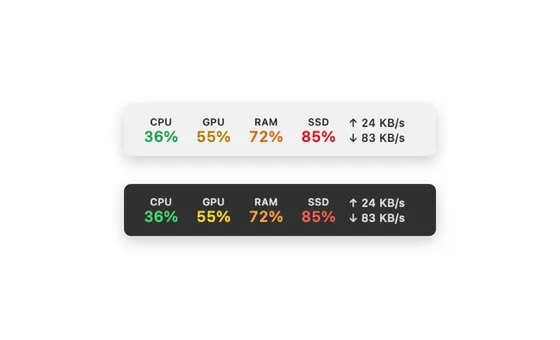
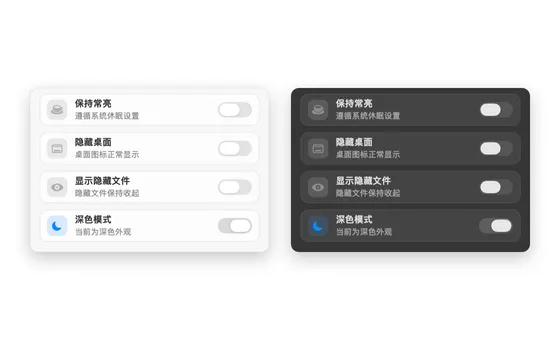
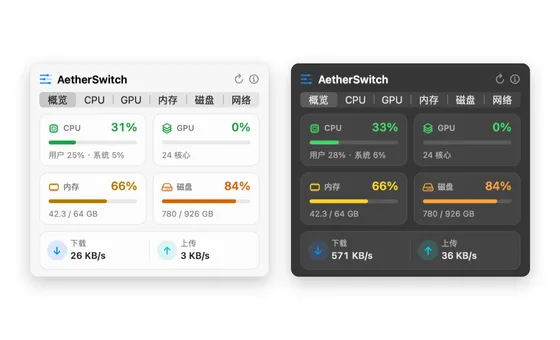
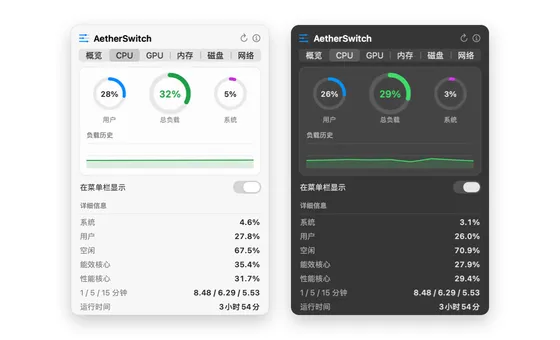
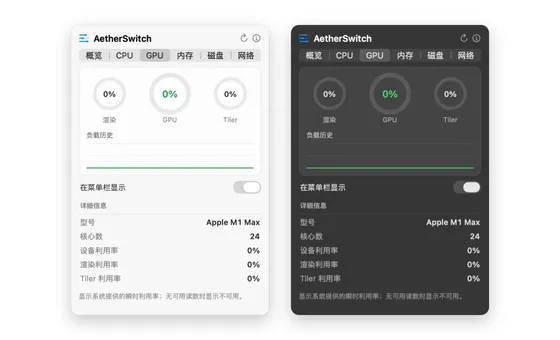
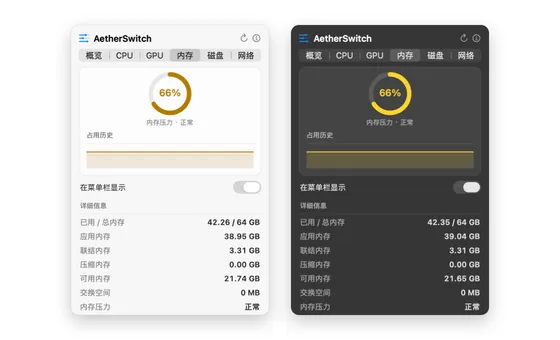
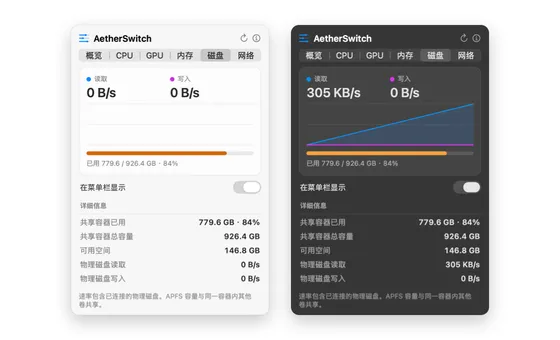
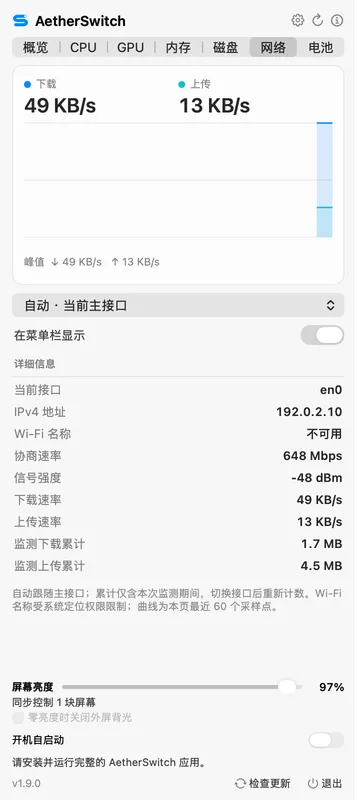
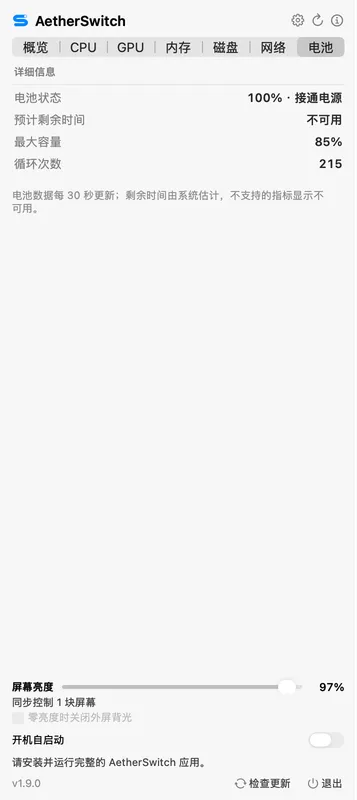
Rendered from AetherSwitch's native views with live local readings and anonymized network addresses; the gallery includes light and dark appearances.
Native monitoring and controls in the menu bar.
Samples through native macOS APIs and presents history charts and detailed readings in the popover.
Tackle daily friction with a single click
Keep screen awake, hide desktop icons, toggle hidden dotfiles and switch dark mode with zero friction.
Explore the details
- Keep Awake uses native IOKit power assertions, releasing cleanly upon exit.
- Clear cluttered desktop icons instantly for clean screencasts and presentations.
- Toggle dotfiles in Finder without repetitive terminal defaults commands.
Monospaced layout, glanceable system health
The menu bar shows CPU, GPU, RAM, SSD and both network rates; clicking opens a native popover for light and dark appearances.
Explore the details
- Values change color in four tiers: green below 50%, yellow 50–70%, orange 70–85% and red above 85%, tuned separately for light and dark menu bars.
- Choose which metrics appear in the menu bar from each detail view; with all of them off, only the icon remains.
- Native system font alignment prevents numeric jitter and truncation ellipsis.
Detail readers sleep; hidden metrics stop sampling, idle CPU ≤ 0.1%
Proprietary adaptive scheduler puts GPU and multi-core polling to sleep when collapsed, eliminating background battery drain.
Explore the details
- Local collapsed-state checks measure CPU time, physical memory and main-thread response; detail views are checked separately.
- Built with native Swift 6, sampling according to visible metrics and open pages. Resource use varies with hardware, displayed metrics and refresh interval.
Resource usage measured on a real Mac.
Release checks cover idle CPU and responsiveness, real detail popovers, the updater and peak physical footprint.
Detail readers sleep; hidden metrics stop sampling
Checked across detail pages with the updater running
CPU, GPU, memory, disk, network and battery
Native monitoring with Sparkle updates
How does AetherSwitch differ from Stats and One Switch?
AetherSwitch combines five hardware metrics, their detail views and four common system toggles in one native menu bar app. Stats offers broader monitoring and configuration options.
Does Keep Awake cause unintended battery drain or sleep failure?
No. AetherSwitch uses native IOKit power assertions. Toggling off or quitting the app immediately releases the assertion, preventing orphaned scripts or sleep blockage.
Why does the GPU monitor no longer jump down to 0%?
AetherSwitch displays instantaneous readings from IOAccelerator without extending peaks. Short tasks may finish between samples, so an occasional 0% reading is expected.
Does it collect or upload any personal data?
System metrics are collected and displayed locally without telemetry. Once a day the app fetches a signed update feed from our website (you can turn off Automatic Update Checks in the right-click menu); the request carries no metrics or personal data, and the installer is downloaded from GitHub Releases only when you update.
How do I update AetherSwitch? Do I need to download and replace it manually?
No. Click Check for Updates at the bottom of the panel (or in the right-click menu); when a new version is found, follow the prompts to download it and the app restarts automatically after installing. Both the update archive and the feed are signature-verified. Versions before 1.3.0 have no in-app updates, so install 1.3.0 manually once.

AetherSwitch for Mac
Eliminate the bloat. Experience pure native Mac control.
For Apple silicon Mac · macOS 14.0+ · Native Swift 6 · Sparkle Updates
Community
How has your experience been?
No sign-in needed. Share your experience.
Community rating
—/ 5
Loading…
One like and rating per browser. You can change them anytime.
No published comments yet. Be the first to share your experience.
Community comments
Newest first · Replies grouped by topic